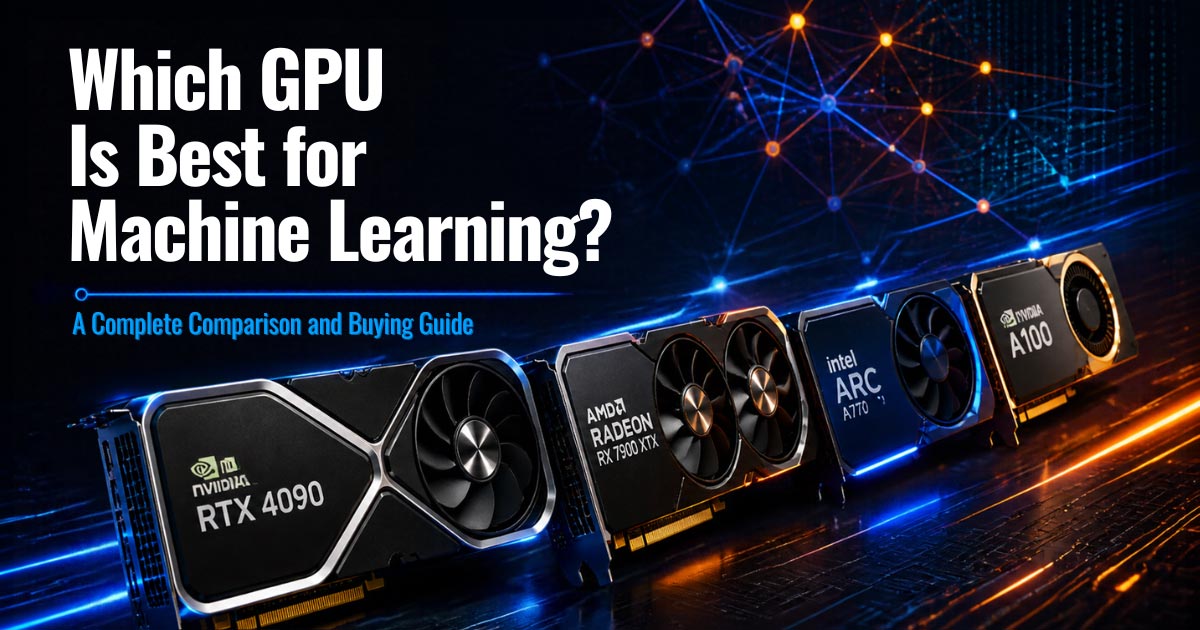
In machine learning, GPU performance has a major impact on how quickly models train and how large a model or dataset you can work with at once.
With NVIDIA, AMD, and others offering a wide range of GPUs at different price points and for different purposes, it’s easy to find yourself wondering, “Which one should I choose?” or “Which GPU gives me the best value?”
In this article, we compare the current GPUs most often considered for machine learning and recommend models for each use case, from research and development to learning as a hobby.
HIGHRESO’s GPU cloud has no setup fees and lets you choose between pay-as-you-go and monthly billing. If you can’t justify a big hardware investment or just want to try out a GPU at low cost, feel free to get in touch.
If you want to try a GPU right now, you don’t need to buy one first. GPU Hypha lets you spin up a GPU in seconds with root SSH access and per-hour billing.

The short answer: how to choose a GPU for machine learning
Start by checking GPU memory (VRAM) capacity and compatibility with the frameworks you plan to use. Then compare compute performance, memory bandwidth, and price.
- If you rely on libraries or training code that require CUDA, an NVIDIA GPU is the easier choice.
- If you’re considering an AMD GPU, confirm in advance that ROCm supports your combination of GPU, OS, and framework.
- If you want to test performance before buying, or your current GPU doesn’t have enough VRAM, a GPU cloud service is also worth considering.
What Is a GPU?
GPU stands for graphics processing unit, a semiconductor chip dedicated to image processing.
Found in PCs and servers, GPUs handle the calculations needed to render high-quality visuals at high speed, especially 3D graphics.
GPUs excel at processing large amounts of data in parallel, which lets them run easily parallelizable computations at high speed.
Thanks to this high compute performance, GPUs are now used far beyond graphics, in fields such as AI, machine learning, and scientific computing.
Core GPU Functions
Here’s a rundown of what GPUs do.
Keep the following points in mind to understand the core functions and strengths of a GPU.
Parallel processing
- Runs calculations simultaneously across hundreds to thousands of cores
- Executes the same type of operation on many pieces of data in parallel
- Delivers higher throughput than a CPU on workloads that parallelize well
Graphics processing
- Draws 3D models onto a 2D screen (3D rendering)
- Calculates visual effects such as lighting, shadows, and textures (shading)
- Manages image data for display (frame buffer management)
General-purpose computing (GPGPU)
- Scientific computing (physics simulations, weather forecasting, etc.)
- Machine learning and AI (neural network training and inference)
- Cryptographic processing (blockchain, encryption and decryption)
How GPUs Differ from CPUs
GPUs and CPUs differ in some clear ways.
A CPU is often described as a general-purpose “command center” that works through complex tasks one after another on a small number of cores. A GPU, by contrast, is a “high-speed compute engine” that runs simple calculations simultaneously on thousands of cores.
Here’s a closer look.
Processing model
- CPU: Sequential processing on a small number of cores (roughly 4–32); excels at complex control flow
- GPU: Parallel processing on a large number of cores (hundreds to thousands); excels at running huge volumes of simple calculations
- In short: CPUs prioritize versatility, while GPUs prioritize speed for specific workloads
Memory architecture
- CPU: Prioritizes low latency with large caches (L1/L2/L3); uses system memory (RAM)
- GPU: Prioritizes throughput with high-bandwidth GPU memory (VRAM); has its own dedicated memory
- In short: CPUs favor low-latency access, while GPUs favor fast, high-volume data transfer
Applications
- CPU: OS control, running applications, complex branching, general-purpose programs
- GPU: Graphics rendering, AI and machine learning, scientific computing, cryptographic processing
- In short: The CPU is the command center for general tasks, while the GPU is a specialized high-speed compute engine
Why GPUs Matter for Machine Learning
With many cores and strong parallel processing capabilities, GPUs can efficiently handle the massive number of simple calculations involved in machine learning.
Depending on the workload, a GPU can dramatically cut training and inference times compared with using a CPU alone. The actual speedup depends on the model, the amount of data, and the specific CPU and GPU involved.
This parallel processing power makes the biggest difference in workloads that involve large amounts of data and heavy matrix operations, such as deep learning, where it significantly shortens training and inference times.
The Advantages of Parallel Processing
Point 01
GPUs use many cores to execute operations in parallel. This lets them efficiently handle large computations that parallelize well, such as AI training and image processing. However, how much faster a GPU is than a CPU, and how much it improves power and cost efficiency, depends on the workload.
Handling Complex Computations
Point 02
Because GPUs can process large matrix calculations in parallel, they speed up training and inference for deep learning models such as CNNs and Transformers. Specialized features like low-precision FP16 and INT8 arithmetic and Tensor Cores further improve efficiency, which is why GPUs are so widely used in deep learning.
Wide-Ranging Use Cases
Point 03
Their strong parallel processing capabilities make GPUs a common choice across the field of machine learning.
GPU-powered image recognition and prediction are at work in a wide variety of settings, from defect detection in factories and medical image diagnosis to autonomous driving and fraud detection in finance.
How to Choose a GPU for Machine Learning
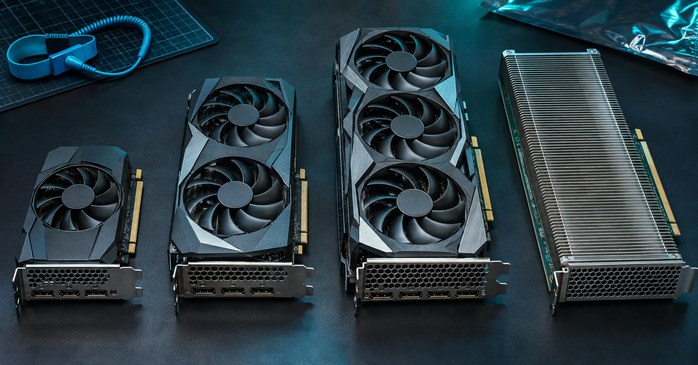
When choosing a GPU for machine learning, striking the right balance between cost and performance is key.
Start by checking GPU memory (VRAM) capacity and framework support, then compare real-world compute performance, memory bandwidth, power consumption, and price.
When You Need a GPU and When a CPU Is Enough
Machine learning and deep learning aren’t the same thing. Deep learning is one approach within machine learning, and not every machine learning task calls for a high-performance GPU.
When a GPU helps
- Training and inference for deep learning models such as CNNs and Transformers
- Workloads that repeatedly run large matrix operations
- Generative AI, such as image generation and large language models (LLMs)
When a CPU is often enough
- Regression and classification on small tabular datasets (linear regression, decision trees, etc.)
- Experiments with small amounts of data that train quickly
- Work that centers on data preprocessing or feature engineering
Traditional machine learning algorithms, such as those in scikit-learn, can sometimes be GPU-accelerated with tools like NVIDIA cuML. However, even NVIDIA’s own benchmarks show that data conversion overhead can make some operations slower on a GPU than on a CPU. Start by taking stock of your data volume and model, then decide whether you actually need a GPU.
Source: NVIDIA cuML Documentation, “Performance and Speedups”
Key Specs to Check
Choosing the right GPU is essential to a successful machine learning project. GPU performance largely determines training speed and how large a model you can handle, which directly affects how efficiently your project runs.
Below, we walk through the key specs to check when choosing a GPU for machine learning, in the order you’d typically evaluate them, and explain how each one affects real-world performance.
- GPU memory (VRAM) capacity
- Determines how large a model and batch size you can work with at once
- The amount of VRAM you need depends on model size, batch size, numerical precision, and whether you’re training or running inference. Rather than relying on a one-size-fits-all minimum, check the VRAM requirements of the models you actually plan to use.
- Framework support (CUDA/ROCm)
- Make sure the libraries and training code you want to use support the GPU’s development platform
- NVIDIA uses CUDA, while AMD uses ROCm. With ROCm, check in advance which GPUs, operating systems, and framework versions are supported
- Benchmarks on real tasks
- Compare performance under conditions close to the models and frameworks you plan to use
- Public benchmarks such as MLPerf Training, which compare how long it takes to reach a target accuracy, are also a useful reference
- Memory bandwidth
- The data transfer speed between the GPU and its memory (VRAM)
- Wider bandwidth generally translates into better processing performance
- Power consumption and price
- Power consumption also affects your power supply and cooling requirements, so check it alongside the purchase price
- Core count (a supplementary metric)
- One indicator of a GPU’s parallel processing capability
- Thousands of cores process huge volumes of calculations simultaneously
- A useful reference when comparing GPUs within the same architecture, but core count alone can’t tell you how a GPU will actually perform in machine learning
- NVIDIA’s CUDA cores and the compute units in AMD GPUs are designed differently, so don’t compare performance based on vendor-specific core counts alone
- Bottom line
- Compare all of the specs above together
- Choose based on your use case and budget
Source: MLCommons, “MLPerf Training”
VRAM Requirements by Use Case
As a reference point, here are the VRAM requirements for a publicly available LLM. Even for the same model, requirements vary widely depending on whether you’re training or running inference and on the precision and techniques you use.
| Model size | Inference (FP16) | Inference (INT4) | Full fine-tuning | LoRA | QLoRA |
|---|---|---|---|---|---|
| 8B (8 billion parameters) | 16 GB | 4 GB | 60 GB | 16 GB | 6 GB |
| 70B (70 billion parameters) | 140 GB | 35 GB | 500 GB | 160 GB | 48 GB |
- Inference figures cover only the memory needed to load the model weights. In practice, you’ll also need memory for the KV cache (for example, about 1.95 GB for an 8B model with 16K tokens) and other overhead.
- Training figures are estimates and vary with implementation and optimization.
- Mixed-precision training with AdamW requires roughly 18 bytes per parameter (6 bytes for weights, 8 bytes for optimizer states, and 4 bytes for gradients), plus memory for activations, which scales with batch size and sequence length.
- In an optimization example shared by NVIDIA, the image generation model FLUX.1 [dev] required more than 23 GB of VRAM at FP16, while a version optimized for FP4 ran in under 10 GB. These figures apply to specific FP4 optimization conditions.
Sources: Hugging Face, “Llama 3.1 – 405B, 70B & 8B with multilinguality and long context” (Llama 3.1 figures) / Hugging Face Transformers Documentation, “Model training anatomy” / NVIDIA Blog (GeForce RTX 50 Series and generative AI)
Cost-Performance Considerations
When choosing a GPU for machine learning, the most powerful option isn’t always the best one. It’s important to find the right balance by weighing factors such as project scale, budget, and future scalability. Here, we cover how to choose a GPU wisely for your use case and how to maximize cost efficiency over the long run.
Basic Principles
- Higher-performance GPUs cost more, but the most expensive option isn’t necessarily the best fit
- Choose based on your goals and budget
- Evaluate GPUs based on processing speed and efficiency on your actual tasks
Guidelines by Use Case
- Personal learning and small projects
- For small models and introductory work, an entry-level to midrange GPU is often sufficient
- Large-scale and advanced use
- Processing large datasets
- Training complex models
- Real-time inference: when low latency and high throughput are required, a high-performance GPU is a strong option
Long-Term Perspective
- Consider how your needs may change over time
- Choose a GPU that offers room to grow and broad versatility
- Prioritize long-term cost efficiency
Machine Learning GPUs Compared
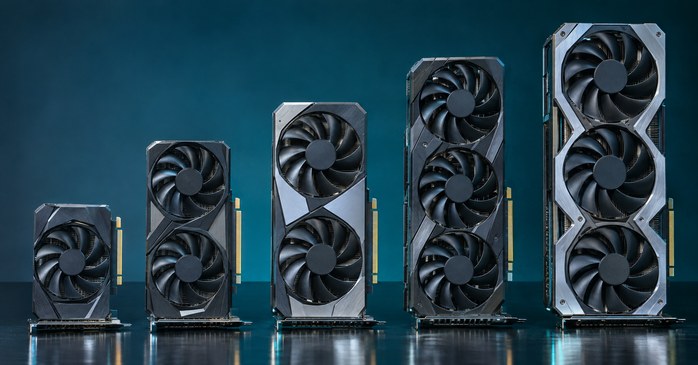
Here, we compare representative GPUs that are often considered for machine learning, drawn from NVIDIA GeForce, NVIDIA RTX PRO (for workstations), NVIDIA’s data center lineup, and AMD Radeon and Instinct.
Note: GPU specifications, pricing, and support status are as of September 2026 and are based on official manufacturer information. Prices vary widely by retailer and over time, so check the latest information before you buy.
Key Specs Compared
| GPU | Category | GPU memory (VRAM) | Memory bandwidth | Power | Price range |
|---|---|---|---|---|---|
| NVIDIA GeForce RTX 5060 Ti (16 GB) | Consumer | 16 GB GDDR7 | 448 GB/s | 180 W (TGP) | Midrange |
| NVIDIA GeForce RTX 5070 Ti | Consumer | 16 GB GDDR7 | 896 GB/s | 300 W (TGP) | Midrange to high-end |
| NVIDIA GeForce RTX 5080 | Consumer | 16 GB GDDR7 | 960 GB/s | 360 W (TGP) | High-end |
| NVIDIA GeForce RTX 5090 | Consumer | 32 GB GDDR7 | 1,792 GB/s | 575 W (TGP) | High-end (top of the GeForce lineup) |
| NVIDIA RTX PRO 5000 Blackwell | Workstation | 48 GB / 72 GB GDDR7 (ECC) | 1,344 GB/s | Up to 300 W | Workstation (premium) |
| NVIDIA RTX PRO 6000 Blackwell Workstation Edition | Workstation | 96 GB GDDR7 (ECC) | 1,792 GB/s | Up to 600 W | Workstation (flagship) |
| NVIDIA H200 | Data center | 141 GB HBM3e | 4.8 TB/s | Up to 700 W (SXM) / up to 600 W (NVL) | Deployed in servers or the cloud (pricing on request) |
| AMD Radeon RX 9070 XT | Consumer | 16 GB GDDR6 | 640 GB/s | 304 W (TBP) | Midrange to high-end |
| AMD Radeon AI PRO R9700 | Workstation | 32 GB GDDR6 | 640 GB/s | 300 W (TBP) | Workstation |
| AMD Instinct MI325X | Data center | 256 GB HBM3E | 6 TB/s (peak) | 1,000 W (peak) | Deployed in servers or the cloud (pricing on request) |
- Memory bandwidth and power figures are published by the manufacturers. Power ratings are defined differently depending on the manufacturer and product (TGP: Total Graphics Power; TBP: Total Board Power or Typical Board Power; maximum power; peak power), so treat them as a rough guide when comparing GPUs within the same category.
- Price ranges show each GPU’s relative position within its product category.
AI Features, Software Compatibility, and Use Cases Compared
| GPU | AI features | Software compatibility | Best for | What to watch out for |
|---|---|---|---|---|
| GeForce RTX 5060 Ti (16 GB) | Tensor Cores, FP4 support (Blackwell generation), 759 AI TOPS | Supports CUDA; works smoothly with major frameworks such as PyTorch and TensorFlow | Getting started with machine learning, personal learning, image generation, inference with small models | An 8 GB version is sold under the same name, so double-check the VRAM before buying. Memory bandwidth is lower than on higher-end models |
| GeForce RTX 5070 Ti | Tensor Cores, FP4 support, 1,406 AI TOPS | Supports CUDA | Image generation, mid-sized deep learning, inference with quantized LLMs | With 16 GB of VRAM, it can fall short when training larger models |
| GeForce RTX 5080 | Tensor Cores, FP4 support, 1,801 AI TOPS | Supports CUDA | Training and inference that prioritize compute performance, for models that fit in 16 GB | Has the same 16 GB of VRAM as the RTX 5070 Ti. If capacity matters more, consider a GPU with 32 GB or more |
| GeForce RTX 5090 | Tensor Cores, FP4 support, 3,352 AI TOPS | Supports CUDA | Serious training for individuals and research labs, local LLMs, high-resolution image generation | Recommended system power is 1,000 W, so pay attention to your power supply, cooling, and case size |
| RTX PRO 5000 Blackwell | ECC GPU memory, Tensor Cores, FP4 support | Supports CUDA | LLM inference and fine-tuning that require large amounts of VRAM, professional workstations | More expensive than GeForce cards. Available in 48 GB and 72 GB versions |
| RTX PRO 6000 Blackwell | ECC GPU memory, MIG (up to 4 instances), FP4 support | Supports CUDA | Inference and fine-tuning for large LLMs, splitting a single GPU across multiple workloads | High price point; up to 600 W of power |
| NVIDIA H200 | 141 GB of high-capacity HBM3e, multi-GPU configurations via NVLink | Supports CUDA | Research and large-scale training, LLM training and large-scale inference | Not designed for typical custom-built PCs; used in certified servers or cloud environments |
| Radeon RX 9070 XT | ROCm support (Linux/Windows/WSL2; supported features and frameworks vary by OS) | Supports PyTorch, TensorFlow, and more through ROCm; check which OS and versions are supported | Testing training and inference on a budget | Code and libraries built around CUDA may not run as-is |
| Radeon AI PRO R9700 | 32 GB of GPU memory; ROCm support (Linux/Windows/WSL2; supported features and frameworks vary by OS) | Supports PyTorch, TensorFlow, and more through ROCm; check which OS and versions are supported | Local LLM inference, mid-sized training that requires large amounts of VRAM | Code and libraries built around CUDA may not run as-is |
| AMD Instinct MI325X | 256 GB of high-capacity HBM3E | Supports ROCm | Large-scale training and inference in data centers | Not designed for typical custom-built PCs; used in certified servers or cloud environments |
Sources (checked September 2026): NVIDIA GeForce RTX 50 Series comparison / RTX 5090 / RTX 5080 / RTX 5070 Family / RTX 5060 Family / RTX PRO 5000 Blackwell / RTX PRO 6000 Blackwell / NVIDIA H200 / Radeon RX 9070 XT / Radeon AI PRO R9700 / AMD Instinct MI325X / AMD ROCm 10.0.0 compatibility matrix
Recommended GPUs by Use Case
Based on the comparison above, here are VRAM guidelines and candidate GPUs for each use case. The VRAM figures are representative examples; actual requirements depend on the model, batch size, and numerical precision you use.
| Use case | VRAM guideline | Candidate GPUs |
|---|---|---|
| Learning and image generation | A 16 GB-class card is comfortable to work with | GeForce RTX 5060 Ti (16 GB), GeForce RTX 5070 Ti |
| Serious deep learning | 16–32 GB (estimate based on model size) | GeForce RTX 5080, GeForce RTX 5090, Radeon AI PRO R9700 |
| Local LLMs | Depends on model size and quantization (70B-class models need 35 GB or more, even when quantized) | GeForce RTX 5090, Radeon AI PRO R9700, RTX PRO 5000/6000 Blackwell |
| Research and large-scale training | Can reach hundreds of gigabytes or more (multiple GPUs) | NVIDIA H200, NVIDIA B200, AMD Instinct MI325X |
| Cloud | Choose an instance that fits your use case | GPUSOROBAN (NVIDIA A4000, A100, H200, B200, and more) |
Learning and Image Generation
- VRAM guideline: If you just want to learn the fundamentals of machine learning with small models, you can get started with relatively little VRAM. If you also plan to generate images, a 16 GB-class GPU is a comfortable target. For example, in an optimization example shared by NVIDIA, FLUX.1 [dev] required more than 23 GB of VRAM at FP16, while a version optimized for FP4 ran in under 10 GB. These figures apply to specific FP4 optimization conditions.
- Candidate GPUs: GeForce RTX 5060 Ti (16 GB), GeForce RTX 5070 Ti
- Why these GPUs: They support CUDA, so there’s no shortage of learning resources and sample code. As Blackwell-generation cards with FP4 support, they let you experiment with image generation using less VRAM when paired with compatible models and tools. They also draw less power than higher-end models.
Serious Deep Learning
- VRAM guideline: Aim for roughly 16–32 GB, and estimate your needs based on the model and batch size. Mixed-precision training with AdamW requires about 18 bytes per parameter plus memory for activations, so a model with 1 billion (1B) parameters needs about 18 GB plus whatever the activations require.
- Candidate GPUs: GeForce RTX 5090 (32 GB), GeForce RTX 5080 (16 GB), Radeon AI PRO R9700 (32 GB)
- Why these GPUs: With 32 GB of VRAM and 1,792 GB/s of memory bandwidth, the RTX 5090 is well suited to training at the scale of an individual or a research lab. If your models fit in 16 GB and compute performance is your priority, the RTX 5080 is also worth considering. And if you’re able to set up a ROCm environment, the 32 GB Radeon AI PRO R9700 is another option.
Local LLMs
- VRAM guideline: Requirements vary widely depending on model size and quantization. Using Llama 3.1 as an example, an 8B model needs 16 GB at FP16 and 4 GB at INT4, while a 70B model needs 35 GB even at INT4. These figures cover model weights only; the KV cache and other overhead require additional memory.
- Candidate GPUs: To run 8B-class models with room to spare, the GeForce RTX 5090 (32 GB) or Radeon AI PRO R9700 (32 GB). To run quantized 70B-class models, the RTX PRO 5000 Blackwell (48 GB/72 GB) or RTX PRO 6000 Blackwell (96 GB).
- Why these GPUs: For LLM inference, the top priority is fitting the model and KV cache into VRAM. Offloading whatever doesn’t fit to system memory (RAM) tends to slow things down.
Research and Large-Scale Training
- VRAM guideline: Requirements can reach hundreds of gigabytes or more. For example, full fine-tuning of Llama 3.1 70B is estimated to require about 500 GB, far more than a single GPU can hold.
- Candidate GPUs: NVIDIA H200 (141 GB), NVIDIA B200, AMD Instinct MI325X (256 GB)
- Why these GPUs: They offer large GPU memory (VRAM) capacity and let you distribute training across servers with multiple GPUs connected by high-speed interconnects. Because their power and cooling requirements are substantial, plan to run them in certified servers or cloud environments rather than typical custom-built PCs.
Cloud
- VRAM guideline: Choose an instance with as much GPU memory (VRAM) as your use case requires.
- Candidate GPUs: HIGHRESO’s GPUSOROBAN offers services including High-Speed Computing, with NVIDIA A4000 (16 GB) and A100 (40 GB/80 GB) GPUs; AI Supercomputer Cloud, powered by NVIDIA H200 GPUs; and Computing Cluster, powered by NVIDIA B200 GPUs.
- Why the cloud: It’s a good fit when you want to confirm how much VRAM and performance you need before buying, need large-scale GPUs for only a short time, or don’t have the power and cooling infrastructure to run them yourself.
Sources: Hugging Face, “Llama 3.1 – 405B, 70B & 8B with multilinguality and long context” / Hugging Face Transformers Documentation, “Model training anatomy” / NVIDIA Blog / GPUSOROBAN services / GPUSOROBAN High-Speed Computing
Still not sure which GPU fits your workload? The most reliable way to find out is to run your own model on a cloud GPU and see how much VRAM and speed you actually need before you buy any hardware.
With GPU Hypha, you can launch a GPU in seconds, connect with root SSH, and pay only for the hours you use.
Major GPU Manufacturers
The two leading manufacturers of GPUs for machine learning are NVIDIA and AMD.
NVIDIA GPUs are widely used in machine learning, and the CUDA platform and Tensor Cores in particular make deep learning computations more efficient.
AMD, meanwhile, offers cost-effective products centered on its Radeon series and is building out machine learning support through ROCm, its open-source platform.
As a rule, your choice between the two should come down to the software you use. If you rely on libraries or training code that require CUDA, NVIDIA is the easier choice. If you go with AMD, you’ll need to confirm in advance that ROCm supports your combination of GPU, OS, and framework.
NVIDIA
NVIDIA GPUs accelerate machine learning workloads with CUDA cores (for general-purpose parallel computing) and Tensor Cores (for AI-specific matrix operations), and they’re widely adopted across the AI field. The lineup is divided into the affordable GeForce RTX series for gaming and creative work, the NVIDIA RTX PRO series for professionals, and data center GPUs such as the H200. Major frameworks like PyTorch and TensorFlow support CUDA, and a large share of libraries and training code is built with CUDA in mind, which makes NVIDIA an easy choice when software compatibility is a priority.
AMD
AMD is one of the major GPU manufacturers alongside NVIDIA, and it supports leading machine learning frameworks such as TensorFlow and PyTorch through ROCm, its open-source platform. That said, ROCm support is defined for specific GPUs, operating systems, and versions, so before you start, check AMD’s official compatibility matrix for supported GPUs, operating systems, ROCm versions, and framework versions. ROCm is also under active development—ROCm 10.0.0 was released in August 2026, for example—and the supported GPUs, operating systems, and frameworks change from version to version. When setting up your environment, always check the latest compatibility matrix for the ROCm version you plan to use.
The latest Radeon GPUs offer stronger AI performance, and ROCm support for Linux, Windows, and WSL2 continues to expand. Even so, because NVIDIA’s CUDA is so widespread in machine learning, AMD products still face challenges in terms of compatibility and available resources.
Source: AMD ROCm Documentation, “ROCm 10.0.0 compatibility matrix”
Building a PC That Gets the Most Out of Your GPU
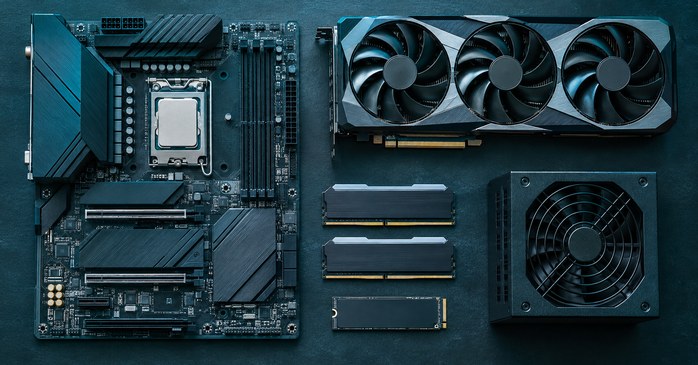
The right PC configuration is essential for smooth machine learning.
The GPU matters most, but if the CPU can’t keep up, system memory (RAM) runs short, or the power supply or cooling isn’t adequate, the GPU won’t be able to perform at its full potential.
Here, we take a closer look at each component of a machine learning PC.
CPU Requirements
In machine learning, the CPU mainly handles general-purpose tasks outside of the GPU’s parallel computations, such as data preprocessing, managing the training process, and processing inference results.
If the CPU is slow to load or preprocess data, the GPU ends up sitting idle while it waits (a CPU bottleneck), and GPU utilization stays low. To get the most out of your GPU, CPU performance matters too.
Recommended CPUs for Machine Learning
| Scale | CPU | Cores/threads | Clock speed (base/boost) | Recommended system memory (RAM) |
|---|---|---|---|---|
| Personal development | Intel Core i5-12400 | 6/12 | 2.5 GHz / 4.4 GHz | 16 GB+ |
| Small | Intel Core i7-12700 | 12/20 | 2.1 GHz / 4.9 GHz | 24 GB+ |
| Medium | AMD Ryzen 7 5700X | 8/16 | 3.4 GHz / 4.6 GHz | 32 GB+ |
| Large | Intel Core i9-13900K | 24/32 | 3.0 GHz / 5.8 GHz | 64 GB+ |
| Large | AMD Ryzen 9 7900X | 12/24 | 4.7 GHz / 5.6 GHz | 128 GB+ |
Recommended System Memory (RAM)
In machine learning, system memory (RAM) is essential for temporarily holding large amounts of data so the CPU and GPU can process it efficiently. This section covers the system memory (RAM) installed in the PC itself, which is separate from the GPU memory (VRAM) on the graphics card.
Deep learning in particular involves large datasets and complex models, so having enough system memory (RAM) has a big impact on both processing speed and whether a job can run at all. If you run short on system memory (RAM) or GPU memory (VRAM), you may be limited in the size of the data or models you can work with, or run into errors such as “out of memory.”
There’s no fixed amount of system memory (RAM) that everyone needs. It depends on the models and amount of data you work with, how the data is loaded, and whether you offload data or models that don’t fit in VRAM to system memory. It isn’t a hard requirement, but as a rule of thumb, Puget Systems recommends having at least twice as much system memory as the total GPU memory (VRAM) in your system (for example, 64 GB or more for a system with two 16 GB GPUs).
System Memory (RAM) Guidelines for Machine Learning
| Project scale | Purpose | System memory (RAM) guideline | Typical use |
|---|---|---|---|
| Entry-level/small | Learning, personal development | 16 GB | Learning basic machine learning algorithms |
| Medium | Serious development and experimentation | 24 GB | Working with complex models and datasets |
| Large | Research, commercial development | 40 GB | Large datasets and complex model architectures |
| LLM-focused | Large language models | Depends on model size and offloading method (as a rule of thumb, Puget Systems recommends at least twice the total VRAM; if you offload model weights that don’t fit in VRAM to system memory, you’ll need enough capacity for those as well) | Training and inference for large language models, such as Transformer-based models |
| Image processing–focused | Deep learning | Depends on data volume and loading method (as a rule of thumb, Puget Systems recommends at least twice the total VRAM; large-scale data analysis that loads an entire dataset into memory may require as much as 1 TB) | High-resolution processing such as image classification, object detection, and image generation |
Note: These are general guidelines. Actual requirements depend on the models, data volume, and offloading method you use.
Source: Puget Systems, “Hardware Recommendations for AI Development”
Choosing Storage
When you build a PC for machine learning, storage holds the OS, your applications, and your training data. For machine learning with large datasets in particular, storage speed and capacity have a major impact on overall efficiency.
The two main types of storage are HDDs (hard disk drives) and SSDs (solid-state drives), and for machine learning, SSDs offer greater benefits and are the better choice.
Storage Options for Machine Learning Compared
| HDD | SATA SSD | NVMe SSD | |
|---|---|---|---|
| Storage medium | Magnetic disk | Flash memory | Flash memory |
| Interface | SATA | SATA | PCIe |
| Read/write speed | Slow (100–200 MB/s) | Moderate (500–600 MB/s) | Fast (3,000–7,000 MB/s) |
| Random access | Slow | Fast | Very fast |
| Advantage for machine learning | Low cost | Faster than an HDD | Fastest data transfer |
| Drawback for machine learning | Slow data loading | Slower than NVMe | Higher cost |
| Feeding data to the GPU | Prone to bottlenecks | Improved | Optimized |
| Impact on training time | Longer | Shorter | Greatest reduction when data loading is the bottleneck |
| Best for | Data storage and backups | Mid-sized datasets | Large datasets and real-time processing |
Note: The impact on training time reflects cases where data loading (storage I/O) is the bottleneck.
Other PC Components
When putting together a PC for machine learning, the motherboard, power supply unit, and case are also important choices.
If these components aren’t up to the task, even a high-performance GPU or CPU won’t be able to reach its full potential, and the system can become unstable.
For example, an underpowered power supply can limit GPU performance, an unsuitable PCIe slot on the motherboard can prevent high-speed data transfer, and a case with poor cooling increases the risk of overheating. High-end GPUs in particular consume a lot of power and generate a lot of heat, so be sure to check your case airflow and GPU cooling as well.
Motherboards Compared
| Form factor | Size | GPU capacity | Primary use | Advantages | Disadvantages |
|---|---|---|---|---|---|
| E-ATX | Largest | Multiple GPUs | Workstations | Maximum expandability, plenty of slots | Requires a large case; expensive |
| ATX | Large | Multiple GPUs | Serious machine learning | Excellent expandability, multi-GPU support | Requires a standard-size case |
| Micro-ATX | Medium | 1–2 GPUs | Compact builds | Compact while covering the essentials | Limited expandability |
Power Supply Units (PSUs) by Capacity
| Capacity | Configuration | GPUs | Use | Features to look for |
|---|---|---|---|---|
| 750 W or more | One midrange GPU | RTX 5070 Ti / Radeon RX 9070 XT class | General machine learning | Modular design recommended |
| 850–1,000 W | One high-end GPU | RTX 5080 / RTX 5090 | Serious training and research | Quiet operation |
| 1,200 W or more | One high-power GPU plus a high-performance CPU (for multi-GPU setups, calculate based on total power draw) | RTX PRO 6000 Blackwell / RTX 5090 (paired with a high-performance CPU) | Top-performance systems | Strong cooling |
Note: Manufacturer-recommended system power is 750 W for the RTX 5070 Ti, 850 W for the RTX 5080, 1,000 W for the RTX 5090, and 750 W or more for the Radeon RX 9070 XT. In practice, choose a PSU with plenty of headroom above the total power draw of your entire build, including the CPU and other components.
Data center GPUs such as the H200 and A100 aren’t designed for typical custom-built PCs. The H200 draws up to 700 W (SXM) or 600 W (NVL), and the A100 80GB draws up to 300 W (PCIe) or 400 W (SXM). Given these high power demands, along with their cooling and installation requirements, plan to use them in manufacturer-certified servers or cloud environments.
Sources: NVIDIA RTX 5070 Family / NVIDIA RTX 5080 / NVIDIA RTX 5090 / AMD Radeon RX 9070 XT / NVIDIA H200 / NVIDIA A100
Let the Cloud Handle It: HIGHRESO’s GPU Cloud Is Built for Machine Learning

To choose the right GPU for machine learning, start by checking GPU memory (VRAM) capacity and framework support, then weigh real-world compute performance, memory bandwidth, power consumption, cooling, and cost.
Macs can’t use NVIDIA CUDA, so they aren’t a good fit for CUDA-based environments. However, Macs with Apple silicon do support GPU acceleration through PyTorch’s MPS backend. If CUDA compatibility or large-scale training is a priority, consider a Linux or Windows machine with an NVIDIA GPU, or a GPU cloud service.
Laptops with NVIDIA GPUs can also use CUDA, but keep in mind that they come with limitations in VRAM capacity, cooling, and power compared with desktop GPUs.
Cloud GPU services let you rent exactly the resources you need, only when you need them, so you can try out a variety of GPUs while keeping upfront costs down.
If you’d rather skip the upfront hardware cost, a GPU cloud is the fastest way to get started. You can also use it to test your models first and then decide whether buying your own GPU makes sense.
GPU Hypha lets you launch a GPU in seconds with root SSH access and per-hour billing, so you can start training right away.