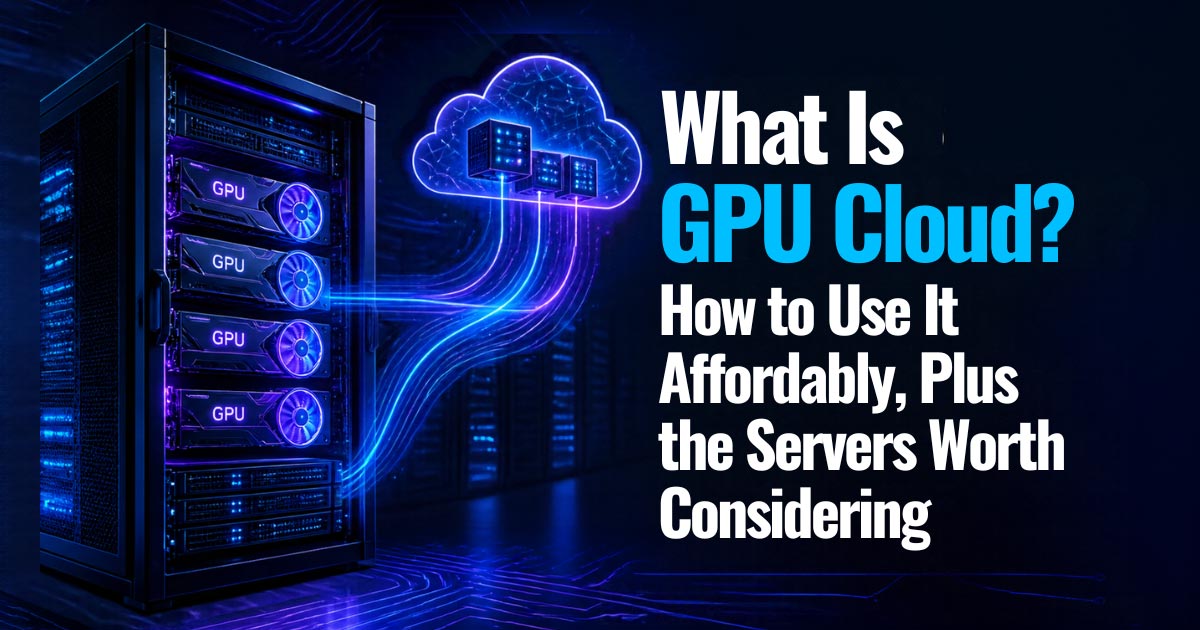
Wondering what “GPU cloud” actually means — and how it differs from the GPU sitting in your workstation?
GPUs were originally built to push pixels, but their parallel processing power has made them the backbone of AI development, deep learning, and scientific computing. A GPU cloud simply makes that hardware available over the internet, in whatever quantity you need, for as long as you need it. Compared with owning GPU servers on premises, both the cost structure and the time-to-first-job look completely different.
This guide explains how GPU cloud works, how it compares with traditional CPU servers and on-premises infrastructure, and what you actually gain by moving to it. It also covers how to keep costs down, what to look for when choosing a provider, and which GPU cloud services are worth a closer look.
What Is GPU Cloud?
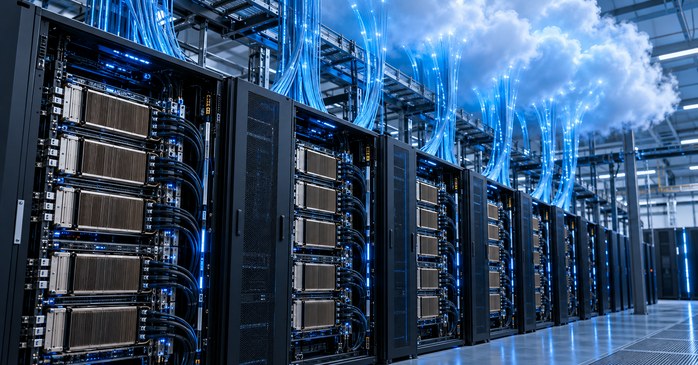
A GPU cloud is a service that gives you internet-based access to servers equipped with GPUs — the high-parallelism processors that AI development, deep learning, and scientific computing depend on.
The defining advantage is that you get high-performance GPU capacity without buying or installing anything. With self-service GPU clouds, you can spin up an environment in a few clicks from a web console. (Providers that deal in dedicated hardware or large-scale configurations typically work differently: you submit an application, go through a review, and receive a quote before provisioning.) Either way, you skip hardware procurement, installation, cooling, and power entirely, and get straight to training, inference, or rendering.
GPU Cloud Pricing: What It Actually Costs
There is no single “going rate” for GPU cloud. Pricing swings enormously depending on the GPU model, the number of GPUs, the region, and the commercial terms — on-demand versus reserved, shared versus dedicated.
In practice, the spread can exceed two orders of magnitude:
- One entry-level to mid-range GPU, billed by usage: plans start at roughly $0.32 per hour (for example, a single-GPU plan on an RTX A4000- or L4-class card).
- One data center-grade high-end GPU: typically about $2 to $20 per hour (for example, H100- or H200-class capacity rented one GPU at a time).
- A full node with eight current-generation GPUs: can exceed $100 per hour (for example, a node with 8× H200 or 8× B200).
Billing models vary too: per-second or per-hour usage-based pricing, flat monthly or annual rates, and reservation models that lock in capacity for a set period. Fixed monthly plans range from a few hundred dollars to tens of thousands of dollars.
The practical takeaway: never compare on hourly rate alone. Always pin down which GPU, how many of them, under which billing model, and in which region a quoted price refers to. Putting a per-GPU rate next to the price of an eight-GPU node tells you nothing useful.
GPU Cloud vs. On-Premises
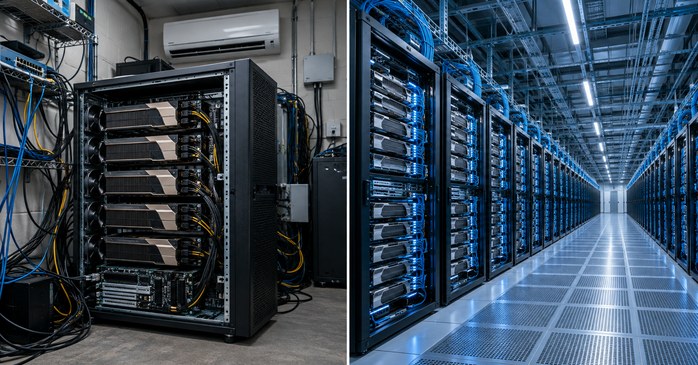
A GPU cloud is essentially a rental model: you consume GPU servers that live in the provider’s data center. On-premises is the ownership model — you buy the hardware, install it at your own site, and run it yourself.
| Dimension | GPU cloud | On-premises |
|---|---|---|
| Upfront cost | Low | High |
| Cost structure and TCO | You pay for what you run. The lower your utilization — or the less predictable your usage horizon — the better this works. Sustained, round-the-clock usage over long periods adds up fast. | Beyond the capital outlay, you carry ongoing power, cooling, maintenance, and staffing costs. High sustained utilization over a long life brings the unit cost down. |
| How to compare costs | Don’t stop at the hourly rate. Model total cost of ownership, including expected utilization, time horizon, data transfer, and operational headcount. Which option is cheaper flips depending on those assumptions. | |
| Time to first job | Minutes to several business days, depending on approval, availability, and configuration | Weeks to months |
| Ease of scaling | Self-service tiers scale up and down freely; dedicated and large-scale configurations may require an application or reservation | Requires additional purchases |
| Security | Depends on the provider | Fully under your control |
| Best suited to | Proofs of concept, short-term projects, startups | Long-running workloads, large-scale AI, strict security environments |
Increasingly, teams don’t choose one or the other. Running development and validation in the cloud while keeping production on premises has become a common pattern, and the real design question is which workloads belong where.
Three Reasons to Use GPU Cloud
Start without a capital budget
The biggest draw is that you avoid the large upfront investment — no equipment purchase, no server room to build out.
Bringing high-performance GPU servers in-house means paying for more than the hardware itself: power distribution and cooling capacity usually need upgrading too. A GPU cloud lets you start without any of that.
Because most providers bill by usage, costs track your actual runtime and consumption. That suits time-boxed R&D projects and one-off jobs that need a burst of compute particularly well.
Adjust resources as your project changes
GPU cloud lets you respond quickly as business or project conditions shift.
It’s common for a training phase to need several high-end GPUs while the inference phase runs comfortably on something far smaller. In the cloud, you change GPU specifications or add and remove instances from the management console in a few clicks.
Because you can secure exactly what you need and scale back when you don’t, you avoid over-provisioning while still moving quickly.
Reduce your operations and maintenance burden
On-premises environments come with a long list of operational work: installing and configuring hardware, managing cooling and power, and keeping operating systems and software patched.
In a GPU cloud, the provider handles procurement, operation, maintenance, and failure response for the physical layer — data center facilities, power and cooling, physical servers and GPUs, storage, and network equipment. What stays with you is the operating system and GPU drivers on the instance, middleware such as CUDA and deep learning frameworks, your applications, and the data and access permissions you manage. This division is generally known as the shared responsibility model.
In other words, infrastructure management doesn’t disappear — your operational scope narrows from the physical layer to the OS, application, and data layers. That’s still a significant shift: freed from hardware procurement and facility management, your engineers can put their time into model development and data analysis instead.
Note that the exact line between provider and customer varies by service — bare metal, managed, and container-based offerings all draw it differently. Before you sign, confirm precisely where the provider’s responsibility ends and yours begins.
How to Choose a GPU Cloud
Check whether data transfer is billed
Data transfer charges are one of the easier ways to get caught out.
With many providers, uploading to the server (ingress) is free while downloading (egress) is billed. If you’re moving large training datasets, generated models, or rendering output, those charges can climb well beyond what you budgeted.
A low GPU rate can end up expensive once transfer is included, so always confirm whether data transfer is charged and how the pricing works.
Check whether the GPU lineup fits your workload
GPUs vary widely in type and capability. Large-scale AI training calls for high-end hardware such as NVIDIA H200 or B200, while smaller inference workloads and development environments often run fine on an L4 or RTX A4000-class card.
Confirm that the provider offers GPUs matching your project’s requirements. A service with genuine breadth means you can stay put as your project moves from one phase to the next.
Check how long setup takes
Development velocity translates directly into business opportunity, and the time from account creation to a running GPU environment varies enormously between providers.
Some let you launch immediately; others require an application and a review that takes several days. Providers offering template images with the OS, drivers, and development frameworks preinstalled will save you considerable setup effort.
9 GPU Cloud Services Compared
Information and pricing verified: September 14, 2026
- Prices, GPU availability, regional coverage, and promotional terms are subject to change at each provider’s discretion. Always confirm the current details on the provider’s official site before signing up.
- All prices are shown in US dollars. Hypha publishes its rates in Japanese yen, so its figures have been converted at ¥158 = $1 (exchange rate as of October 28, 2026); the dollar equivalent will move with exchange rates.
- Tax treatment differs by provider. Unless noted otherwise, prices follow the provider’s own published figures.
- A per-GPU rate and a per-node (8-GPU) rate are not directly comparable. Neither are on-demand rates and reserved or long-term contract rates. For that reason, the listings below are split into two separate tables: services you can rent one GPU at a time, and services built around dedicated or reserved nodes.
- There are 9 recommended services. Because configurations and plans differ substantially even within a single service, each plan is listed on its own row — so the combined row count across both tables exceeds 9. Services offering both single-GPU and node-level configurations appear in both tables.
Table 1: Services you can rent one GPU at a time (on-demand / usage-based)
| Category | Service | Provider | Representative GPU | GPU count | Billing model | Price (per GPU) | Main regions | Verified |
|---|---|---|---|---|---|---|---|---|
| Value | Hypha | Highreso | NVIDIA RTX A4000 | 1 | Hourly usage-based / monthly plans | From approx. $0.32/hr (A4000 instance) | Japan | 9/14/2026 |
| Value | Lambda GPU Cloud | Lambda | NVIDIA H100 SXM (80GB) | 1–8 (billed per GPU) | On-demand (hourly) | $3.99/GPU/hr (H100 SXM); B200 SXM6 $6.69/GPU/hr; A100 80GB $2.79/GPU/hr; V100 $0.79/GPU/hr | US and others | 9/14/2026 |
| Value | Runpod GPU Cloud | Runpod Inc. | NVIDIA H100 SXM (80GB) | 1–8 (billed per GPU) | Per-second usage-based | All figures below are Secure Cloud rates: $3.49/GPU/hr (H100 SXM); H200 $4.59; B200 $6.79; A100 $1.59; L40S $1.09; RTX 4090 $0.74; RTX A5000 $0.27, the lowest within Secure Cloud. Community Cloud is priced separately | 30+ locations | 9/14/2026 |
| Hyperscaler | AWS | Amazon Web Services | NVIDIA L40S (48GB, G6e instances) | 1 (g6e.xlarge) | On-demand (per second, 1-minute minimum) | $1.861/hr (g6e.xlarge, us-east-1) | 30+ regions worldwide | 9/14/2026 |
| Hyperscaler | Google Cloud Platform | Google LLC | NVIDIA L4 (24GB, G2) | 1 (g2-standard-4) | On-demand (per second) | Approx. $0.70/hr (g2-standard-4, us-central1 reference) | 40+ regions worldwide | 9/14/2026 |
| Hyperscaler | Alibaba Cloud | Alibaba Group | gn8v family (NVIDIA H20, 96GB GPU memory per card, HBM3) | 1–8 | Usage-based / monthly subscription | Varies by configuration and region (confirm on the official pricing page) | China and Asia-Pacific | 9/14/2026 |
| Security | Linode GPU Linodes | Akamai Technologies | NVIDIA RTX 4000 Ada / RTX PRO 6000 Blackwell Server Edition | 1–8 | Hourly usage-based (since July 1, 2026, GPU Linodes bill for actual hours used with no monthly cap) | RTX 4000 Ada ×1 from $0.52/hr; RTX PRO 6000 Blackwell ×1 from $2.50/hr (varies by region). 8-GPU configurations also available. Pricing pages differ, so verify current rates | North America, Europe, Asia-Pacific | 9/14/2026 |
Table 2: Services built around node-level (8-GPU) dedicated or reserved contracts
| Category | Service | Provider | Representative GPU | GPU count | Billing model | Price (per node) | Main regions | Verified |
|---|---|---|---|---|---|---|---|---|
| Value | Hypha | Highreso | B200-based compute clusters / H200 instances | 8+ | Monthly and term contracts | Contact vendor | Japan | 9/14/2026 |
| Value | Lambda GPU Cloud (1-Click Clusters) | Lambda | NVIDIA HGX B200 | 16 / 64 / 256+ | Reserved (2 weeks to 1 year) | $9.86/GPU/hr (16 GPUs); $9.36/GPU/hr (64 GPUs); $8.87/GPU/hr (256+ GPUs). Terms beyond one year: contact vendor | US and others | 9/14/2026 |
| Hyperscaler | AWS | Amazon Web Services | P5: 8× H100 / P5e and P5en: 8× H200 / P6-B200: 8× B200 / P6-B300: 8× B300 / P6e-GB200: GB200 UltraServer | 8 (P6e-GB200 UltraServers come in 36- and 72-GPU configurations) | On-demand / Savings Plans / EC2 Capacity Blocks for ML (fixed-term reserved purchase) | p5.48xlarge (8× H100) on-demand $55.040/hr (us-east-1). Capacity Blocks vary by reservation term and region | 30+ regions worldwide | 9/14/2026 |
| Hyperscaler | Google Cloud Platform | Google LLC | A4X Max: GB300 / A4X: GB200 / A4 High: 8× B200 / A3 Ultra: 8× H200 / A3 Mega and High: 8× H100 / G4: RTX PRO 6000 / G2: L4 | 8 (A4X and A4X Max are rack-scale) | On-demand / DWS Flex-start / DWS Calendar Mode / Spot / Future Reservations / CUDs | A4 High (8× B200) has no standard on-demand rate published; pricing assumes a provisioning model such as DWS Flex-start at $64.44/hr. A3 Ultra (8× H200) $84.8069/hr; A3 High (8× H100) $88.49/hr (all us-central1) | 40+ regions worldwide | 9/14/2026 |
| Hyperscaler | Azure | Microsoft | ND H200 v5 (8× H200; 141GB HBM3e per GPU, 4.8TB/s memory bandwidth) | 8 | Pay-as-you-go / reserved instances | Pricing varies by region — verify with the Azure Pricing Calculator | 60+ regions worldwide | 9/14/2026 |
| Hyperscaler | IBM Cloud | IBM | GPU options for bare metal and VPC (selected by configuration) | Varies by configuration | Monthly or hourly, depending on configuration | Quote required | Worldwide | 9/14/2026 |
Best Value: Three GPU Cloud Services Worth Considering
Hypha
Hypha is a GPU cloud from Highreso, run out of the company’s own data centers in Japan. It starts with NVIDIA A4000 instances from about $0.32 per hour and extends through A100 instances, H200 instances, and B200-based compute clusters — so you can scale from proof of concept to production without leaving the service.
Both usage-based and fixed monthly billing are available, which makes it straightforward to optimize costs around your actual usage pattern. It serves everyone from small businesses and individual developers experimenting with image generation or language model training up to enterprises building serious training infrastructure.
Lambda GPU Cloud
Lambda is a US GPU cloud built specifically for AI development. You can launch current-generation GPU instances yourself within minutes, or reserve a large dedicated cluster for training.
On-demand pricing is quoted per GPU. As of September 14, 2026, the official rates are as follows (all per GPU, per hour).
| GPU | VRAM | Price (per GPU) |
|---|---|---|
| NVIDIA B200 SXM6 | 180GB | $6.69/GPU/hr |
| NVIDIA H100 SXM | 80GB | $3.99/GPU/hr |
| NVIDIA A100 SXM | 80GB | $2.79/GPU/hr |
| NVIDIA A100 SXM | 40GB | $1.99/GPU/hr |
| NVIDIA Tesla V100 | 16GB | $0.79/GPU/hr |
For large-scale training, 1-Click Clusters let you reserve HGX B200 clusters for anywhere from two weeks to a year. These are also priced per GPU: $9.86/GPU/hr at 16 GPUs, $9.36/GPU/hr at 64 GPUs, and $8.87/GPU/hr at 256 GPUs or more. Contact the vendor for terms longer than a year.
On-demand rates and reserved cluster rates rest on different assumptions, so compare like with like. Lambda suits companies and research institutions running continuous large-model training.
Runpod GPU Cloud
Runpod operates thousands of GPUs across more than 30 locations. It offers a deep catalog of template environments for Stable Diffusion, ComfyUI, and LLM inference, along with automated deployment through its API and CLI.
Billing is per second. Run a three-minute job and you pay for three minutes — with no egress fees and no minimums.
Runpod offers two distinct tiers, and they need to be evaluated separately.
- Secure Cloud: runs in Tier 3 and Tier 4 class data centers that Runpod partners with. This is the tier for production workloads with availability or physical security requirements.
- Community Cloud: runs on GPUs supplied by third-party hosts. The same GPU can carry a lower rate than on Secure Cloud, but availability, uptime continuity, and handling of confidential data need to be evaluated case by case.
The rates published on the official pricing page as of September 14, 2026 are Secure Cloud rates: H100 SXM at $3.49/hr, H200 at $4.59/hr, B200 at $6.79/hr, B300 at $7.89/hr, A100 at $1.59/hr, L40S at $1.09/hr, RTX 4090 at $0.74/hr, L4 at $0.49/hr, and RTX A5000 at $0.27/hr, the lowest within Secure Cloud (all per GPU). Community Cloud is priced separately, so what you actually pay depends on the tier and region you select. Check the live rate in the console before committing.
Runpod covers a wide span of use cases, from individuals generating images to startups running inference APIs in production.
Hyperscalers: Five GPU Cloud Services Worth Considering
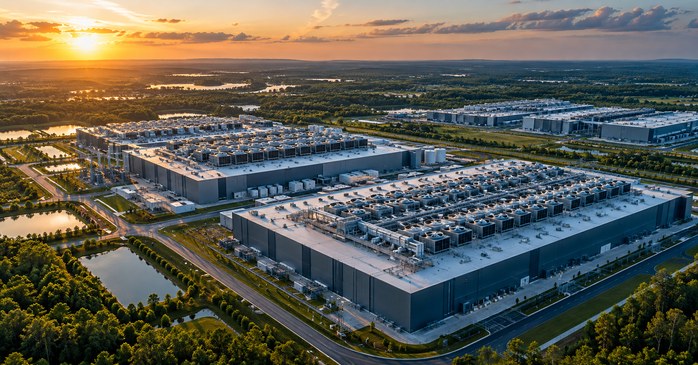
This section covers the major cloud providers — the ones operating in many regions worldwide and offering GPUs alongside managed services for storage, data analytics, and MLOps. These are the options to look at when you want GPU capacity integrated with cloud infrastructure you already run.
AWS
AWS runs the largest cloud footprint in the world, with a correspondingly broad GPU instance lineup. Here are the main current-generation options as of September 14, 2026.
Training and large-scale inference (P series)
- P5: 8× NVIDIA H100. The us-east-1 on-demand rate for p5.48xlarge is $55.040/hr.
- P5e / P5en: 8× NVIDIA H200. More GPU memory and bandwidth than H100, which suits training and inference on larger models.
- P6-B200: 8× NVIDIA Blackwell (B200), with 1,432GB of total HBM3e GPU memory.
- P6-B300: 8× NVIDIA Blackwell Ultra (B300), with 2,144GB of total HBM3e GPU memory.
- P6e-GB200 / P6e-GB300 UltraServers: UltraServer configurations built on GB200 and GB300 NVL72. The u-p6e-gb200x72 reaches 72 Blackwell GPUs and 13,320GB of total GPU memory.
Inference and graphics (G series)
- G6e: NVIDIA L40S (48GB). The us-east-1 on-demand rate for g6e.xlarge (1× L40S) is $1.861/hr, which works well for small to mid-sized inference and generative AI workloads.
- G6 / G5: L4 and A10G, covering lighter inference and rendering.
Purchase models matter as much as instance type. Alongside on-demand, AWS offers EC2 Capacity Blocks for ML to reserve GPU capacity for a defined window of 1 to 182 days, Savings Plans for committed long-term usage, and Spot Instances for discounted surplus capacity. The same SKU can carry very different rates depending on the model, so make sure you’re comparing the same purchase model on both sides.
Integration with S3, EFS, SageMaker, and the rest of the AWS ecosystem is mature, making this a strong fit for globally distributed companies and anyone who prioritizes scalability.
Google Cloud Platform
Google Cloud’s strengths are its network performance and its container services. You can choose TPUs alongside GPUs, and integration with Vertex AI and BigQuery lets you build everything from data analytics through MLOps in one place.
Here are the main accelerator-optimized machine families as of September 14, 2026.
- A4X Max: rack-scale configuration built on NVIDIA GB300. The newest tier for very large-scale training.
- A4X: rack-scale configuration built on NVIDIA GB200.
- A4 High: 8× NVIDIA B200 (a4-highgpu-8g). No standard on-demand rate is published; pricing is quoted against provisioning models such as DWS Flex-start, at $64.44/hr in us-central1. Spot is $39.63/hr.
- A3 Ultra: 8× NVIDIA H200 (141GB) (a3-ultragpu-8g). On-demand $84.8069/hr (us-central1). DWS Flex-start is $42.40/hr; DWS Calendar Mode is $59.36/hr, and Spot is approximately $49.01/hr.
- A3 High: 8× NVIDIA H100 (80GB) (a3-highgpu-8g). On-demand $88.49/hr (us-central1). DWS Flex-start is $38.32/hr; DWS Calendar Mode is $41.60/hr, and Spot is approximately $50.46/hr.
- A3 Mega: 8× NVIDIA H100 (80GB) (a3-megagpu-8g). On-demand $93.40/hr (us-central1).
- G4: NVIDIA RTX PRO 6000. g4-standard-384 (8× RTX PRO 6000) runs approximately $36.00/hr on demand.
- G2: NVIDIA L4 (24GB). g2-standard-4 (1× L4) comes in around $0.70/hr, a price point aimed at inference and lighter workloads.
One thing to watch: the higher tiers with B200 cannot necessarily be launched as ordinary on-demand VMs. You need to design around a provisioning model — Future Reservations, DWS Flex-start, DWS Calendar Mode, or Spot. The rates above also vary by region, and DWS pricing is updated frequently. Rather than judging by a vague “from $X/hr” figure, estimate against a specific machine type, GPU count, region, and provisioning model.
There’s also an availability consideration: VMs with GPUs attached do not support live migration. When host maintenance occurs, the VM may be stopped and restarted, including automatic restarts after a host error. If you run long training jobs, plan for it — save checkpoints regularly and design jobs to be resumable.
Azure
Microsoft Azure offers GPU-equipped VMs under its N series. Windows and Linux are both well supported, and the platform pairs naturally with Azure ML and other data services for AI development.
The flagship configuration, ND H200 v5 (Standard_ND96isr_H200_v5), carries 8× NVIDIA H200 with 141GB of HBM3e memory per GPU and 4.8TB/s of memory bandwidth. It’s offered in many regions, including Japan East. Pricing varies considerably by region, so specify the region you plan to use and estimate with the Azure Pricing Calculator.
At the newest tier, Azure also offers the ND GB200 v6 and ND GB300 v6 series, built on NVIDIA GB200 NVL72 and GB300 NVL72 — extending the lineup to very large-scale AI training and inference clusters.
Azure Advisor adds automated cost optimization recommendations, making Azure a natural choice for enterprises invested in the Microsoft stack.
IBM Cloud
IBM Cloud offers GPU options aimed at AI, predictive analytics, and visualization. They’re available on both bare metal servers and VPC instances, and you can customize the configuration to build a fully dedicated environment.
Code Engine also supports serverless GPU fleets, which suits job-based execution. Pricing depends on configuration and requires a quote, but IBM Cloud is a strong fit for large enterprises in finance, life sciences, and similar sectors where reliability, support, and strict security requirements come first.
Alibaba Cloud
Alibaba Cloud offers three GPU instance families — compute, bare metal, and accelerator-oriented — with particular strength in mainland China and the wider Asia-Pacific region.
Among the current GPU compute-optimized instances, the gn8v family (NVIDIA H20) provides 96GB of HBM3 GPU memory per card. You can select 1 to 8 GPUs, and the largest configuration (ecs.gn8v-8x.48xlarge) delivers 96GB × 8 = 768GB of GPU memory in total — enough to handle inference on 70B-parameter class LLMs. Other families are available for inference and graphics, including gn8is with NVIDIA L20 (48GB).
Third-generation Shenlong architecture reduces virtualization overhead, and NVIDIA GRID vWS support extends coverage from HPC through to 3D graphics. Pricing varies by configuration, region, and commercial model (usage-based or subscription), so check the official pricing pages for your specific case. It’s a sensible option for companies serving the Chinese and broader Asian markets.
Security-Focused: What to Check, Plus One GPU Cloud Service Worth Considering
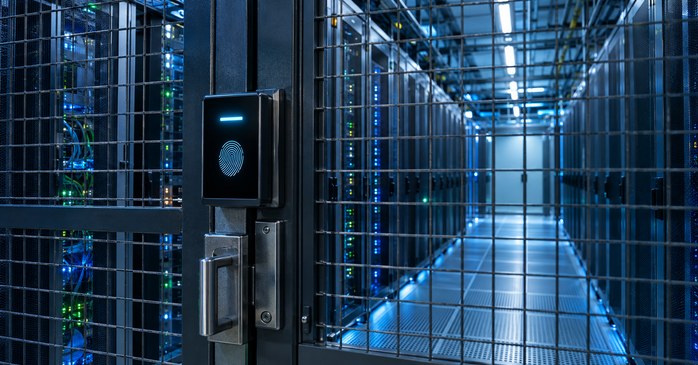
How “security-focused” is defined here
“Secure” can mean almost anything, so this section uses explicit criteria. Keeping data in a particular country helps with data residency requirements, but it is not the same thing as being more secure. Two providers in the same country can differ substantially in certifications held, tenancy model, and where responsibility is drawn.
| Criterion | What to verify |
|---|---|
| Third-party certification | ISO/IEC 27001 (ISMS), ISO/IEC 27017 (cloud-specific security controls), ISO/IEC 27018, and SOC 2 |
| Data residency | Whether the country and region of the data centers storing and processing data is disclosed, whether it can be restricted to a specific country or region, and whether cross-border transfer occurs |
| Tenancy | Whether bare metal or dedicated configurations are available so physical servers and GPUs aren’t shared with other tenants; for shared tiers, what isolation mechanism is used (virtualization or containers) |
| Network isolation | Private network connectivity (dedicated lines, VPN), private networking, DDoS protection, and encryption in transit |
| Clarity of responsibility | Whether the shared responsibility model is published, with the boundaries across physical infrastructure, OS, and data spelled out |
| Regulatory alignment | Track record with sector-specific requirements in finance, healthcare, public procurement, and similar |
The service below has a clear strength on several of these axes and was confirmed to be currently available as of September 14, 2026. Choose based on your own requirements: which certifications you need, whether dedicated hardware is mandatory, and whether your data has to stay in a specific country or region.
Linode GPU Linodes (Akamai Cloud)
A straightforward IaaS-style GPU service from Akamai Technologies. Transparent hourly billing and low egress fees ($0.005 per GB in most regions) make costs easy to predict, even for workloads that move a lot of data in and out.
Note that since July 1, 2026, GPU Linodes bill for the hours actually used, with no monthly cap applied. For long-running or always-on workloads, budget on hourly rate × runtime.
Here’s the lineup as of September 14, 2026.
| GPU | Configuration | Price |
|---|---|---|
| NVIDIA RTX PRO 6000 Blackwell Server Edition | ×1 | From $2.50/hr (varies by region) |
| NVIDIA RTX PRO 6000 Blackwell Server Edition | ×2 / ×4 / ×8 | Priced by card count (verify current rates) |
| NVIDIA RTX 4000 Ada Generation | ×1 (Small–X-Large) | $0.52–$1.53/hr |
| NVIDIA RTX 4000 Ada Generation | ×2 / ×4 | $1.05–$3.57/hr |
| NVIDIA Quadro RTX 6000 | ×1–×4 | $1.50–$6.00/hr |
The addition of the current-generation RTX PRO 6000 Blackwell Server Edition widens the options for inference, rendering, and virtual workstation use. General availability of 8-GPU configurations was officially announced on July 31, 2026, following a beta that opened on July 1 of the same year.
One caveat: quoted rates for RTX PRO 6000 Blackwell differ depending on where you look. The technical documentation lists a starting price of $2.50/hr, while the North America pricing page lists $3.00/hr. Rather than asserting a rate for a specific region, this guide treats it as “from $2.50/hr, varies by region.” Confirmed pricing for 8-GPU configurations is also not always published. Regional availability can be limited as well, so check current pricing and availability before you commit.
On security, Akamai implements PCI DSS-aligned controls and documents its shared responsibility model clearly. It suits developers and startups who want to architect their own secure environment, as well as companies working on projects in North America and Europe.
Against the criteria: clarity of responsibility ◎ / regulatory alignment (PCI DSS) ○ / data residency (region selectable) ○
How to Keep GPU Cloud Costs Down
Stop instances when you’re finished
Most GPU clouds bill by the hour or by the second, so shutting down instances when computation or development wraps up is the simplest and highest-impact way to cut costs. Leaving instances running overnight or over a weekend means paying for hours nobody used.
That said, stopping an instance doesn’t necessarily reduce your bill to zero. With many providers, the following resources keep accruing charges even while the instance is stopped:
- Block storage (system and data disks): disks are retained when you stop an instance, so capacity-based charges generally continue.
- Global IP addresses: some providers charge for reserved addresses that aren’t in use.
- Snapshots, custom images, and backups: capacity charges apply for as long as you keep them.
- Reserved capacity and reserved instances: you pay for the reserved term whether or not anything is running.
- Load balancers, NAT gateways, private connectivity, and other adjacent services.
Some providers also treat “stop” and “delete” very differently. If you want billing to stop completely, check the provider’s pricing page to determine whether you need to back up your data and delete the instance and its associated resources, or whether stopping is sufficient. For environments you won’t touch for a while, the effective pattern is to move the data you need into cheaper storage such as object storage, then delete the instance and its disks.
Choose a service that lets you scale GPU specs and counts
Project requirements typically shift from phase to phase. A small GPU may be plenty during early development, while serious training needs several high-end GPUs.
Starting from the minimum that fits your current stage and scaling up when you actually need to is what keeps waste out of the bill. The reverse matters just as much: once training finishes and you move to inference, scale down promptly.
Use free trials and long-term discount plans
Most cloud providers offer new users a free trial or a credit allowance. Use them to test several services at no risk before committing to one.
If production usage is already settled, look into long-term discount plans, reserved instances, and reserved capacity. These are often substantially cheaper than on-demand rates, though they may restrict cancellation or configuration changes during the term — so read the conditions before signing.
Considering GPU Cloud? Take a Look at Hypha
Whether GPU cloud or on-premises is the right answer depends on your business stage and what you’re trying to achieve with AI.
Security posture varies by provider, so the useful comparison isn’t “cloud is risky, on-premises is safe.” It’s a comparison of certifications held, data residency, tenancy model, where responsibility is drawn, and how operations are run.
Hybrid setups — development and validation in the cloud, production on premises — have become common in recent years. The question has shifted from an either/or choice to a design question: which workloads belong where.
Hypha offers flexible commercial terms with no setup fee and no minimum contract period, and a single service spanning NVIDIA A4000 instances from about $0.32 per hour through A100 and H200 instances up to B200-based compute clusters. That range means you can scale with your project, from a startup’s early proof of concept to an enterprise’s full AI platform.
If you’re evaluating GPU cloud, get in touch — and documentation is available for download as well.