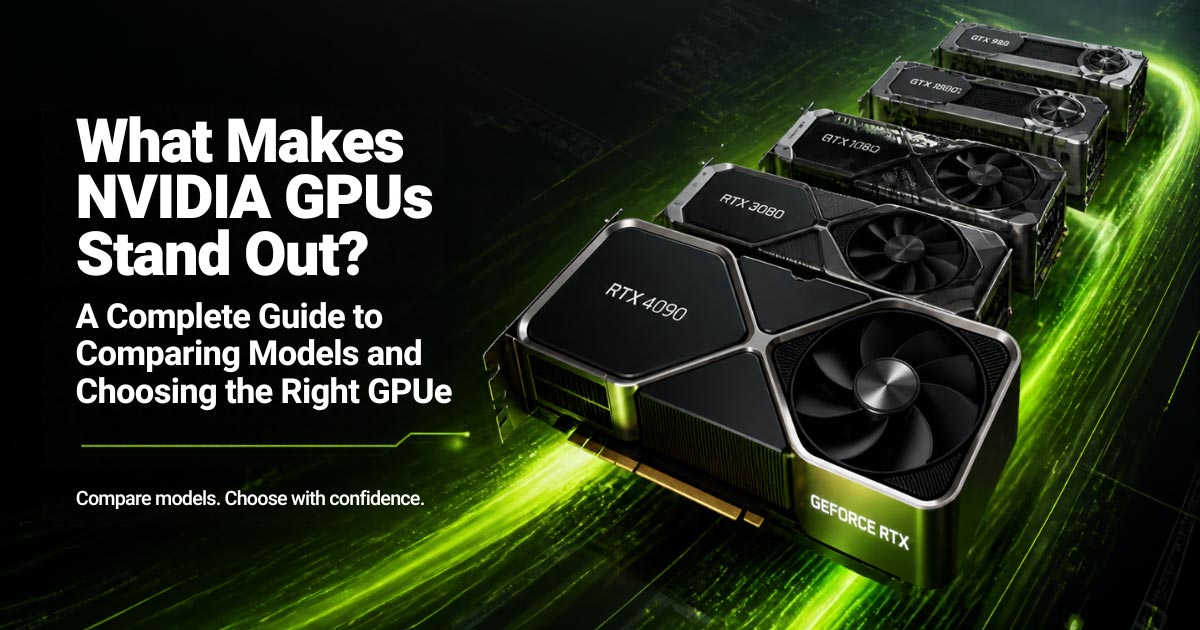
What Is an NVIDIA GPU?
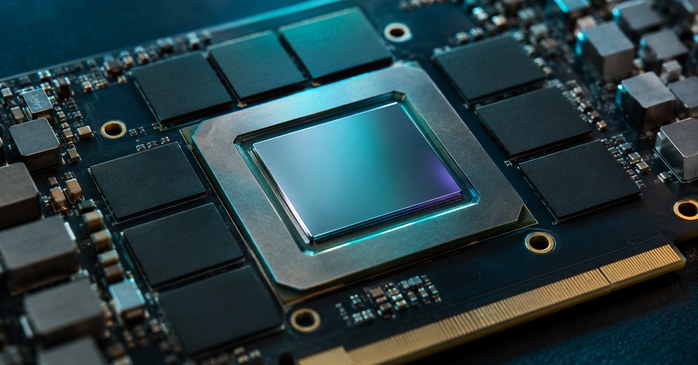
An NVIDIA GPU is a graphics processing unit designed and supplied by NVIDIA. GPUs were originally built to render 3D graphics and process video on PCs and game consoles, but in recent years they have become essential computing infrastructure for AI, machine learning, deep learning, and scientific computing.
NVIDIA GPUs pack thousands to tens of thousands of CUDA cores, allowing them to process massive amounts of data in parallel at high speed. In gaming, this enables real-time ray tracing and smooth high-resolution rendering. In AI and HPC, NVIDIA GPUs take on compute workloads that would be impractical on CPUs alone, and are used in fields such as:
- AI development
- Large language models
- Autonomous driving
- Medical image analysis
- Weather simulation
In AI in particular, NVIDIA GPUs are widely used to develop and run generative AI services such as ChatGPT. As of September 2026, Blackwell-generation GPUs are broadly deployed, and the next-generation Vera Rubin platform has entered full-scale production (NVIDIA, announced May 2026; shipments scheduled to begin in fall 2026).
NVIDIA’s Product Lines
NVIDIA’s GPUs fall into three main product lines, each aimed at a different use case:
- GeForce: primarily for gaming and creative work
- NVIDIA RTX PRO (for professionals): workstation and server GPUs for specialized fields such as 3D graphics, CAD, AI, and machine learning
- Data center GPUs: server GPUs such as the B200, H200, and A100, built for AI training, inference, and HPC (high-performance computing)
GeForce is built for gaming performance, with support for technologies such as real-time ray tracing and DLSS. The latest lineup is the RTX 50 Series.
NVIDIA RTX PRO, by contrast, is designed around large memory capacity, professional-grade drivers, and ISV certifications, and targets specialized fields such as 3D graphics, CAD, AI, and machine learning. In March 2025, NVIDIA announced the NVIDIA RTX PRO Blackwell series, built on the Blackwell architecture.
Data center GPUs are server products that handle large language model training and inference as well as scientific computing. AI/HPC GPUs such as the B200, H200, and A100 use large-capacity high-bandwidth memory (HBM) and NVLink, which connects multiple GPUs at high speed. As of 2026, DGX B300 systems featuring Blackwell Ultra B300 GPUs are shipping, and the next-generation Vera Rubin platform has also entered full-scale production. The table below summarizes the key features of each line.
| Product line | Target users | Key features |
|---|---|---|
| GeForce | Gamers and creators | Real-time ray tracing, DLSS support |
| NVIDIA RTX PRO | Businesses and research institutions (design, video production, AI development) | High-precision compute, focus on stability |
| Data center GPUs | Cloud providers, businesses, and research institutions | Large-capacity HBM, large-scale AI training and inference, HPC |
What Makes NVIDIA So Strong? Three Key Advantages

There are clear reasons why NVIDIA is so widely favored by gamers, creators, and researchers around the world.
Here’s a closer look at three of NVIDIA’s key strengths.
- Roughly 90% share of the desktop discrete GPU (AIB) market
- An ecosystem that works for everyone from developers to gamers
- Applications across a wide range of industries
Roughly 90% Share of the Desktop Discrete GPU (AIB) Market
In the desktop discrete GPU market, also known as the add-in board (AIB) market, NVIDIA holds roughly 90% of the market, well ahead of AMD and Intel, making it the clear leader. According to Jon Peddie Research, shipment shares in this market for Q2 2026 (April–June) were approximately 90% for NVIDIA, 8% for AMD, and 2% for Intel (Jon Peddie Research, published September 2026). Note that these figures reflect PC AIB unit shipments only. They do not represent the overall GPU market, which also includes data center and laptop GPUs.
Beyond the PC AIB market, NVIDIA also has a strong presence in computing infrastructure for AI training and inference.
This dominant share is driven not just by hardware performance but by the ecosystem NVIDIA has built as a whole.
NVIDIA is more than a hardware maker. By building an entire software ecosystem, it has secured a strong position that competitors cannot easily match.
An Ecosystem That Works for Everyone from Developers to Gamers
One of NVIDIA’s key strengths is that it has built an ecosystem that a wide range of users, from developers to gamers, can use intuitively and efficiently.
For AI developers and researchers, NVIDIA offers a robust software development environment centered on CUDA, with smooth integration into AI frameworks and libraries. For gamers, NVIDIA provides tools such as the NVIDIA App, with a rich set of features for a better gaming experience, including:
- Game optimization and visual enhancements
- Automatic screenshot and video capture
- NVIDIA Reflex for lower latency
Developer tools such as AI Workbench and TensorRT also enable seamless development and deployment from PC to cloud.
What sets NVIDIA apart is that everyone from beginners to professionals can achieve their goals within the same ecosystem.
Applications Across a Wide Range of Industries
Through partnerships with leading global companies such as Toyota, Microsoft, OpenAI, and TSMC, NVIDIA technology is used across a wide range of fields, including AI, autonomous driving, cloud computing, and gaming.
The table below shows how each company uses NVIDIA technology.
| Company | Field | Use case |
|---|---|---|
| OpenAI | Generative AI | Uses NVIDIA GPU systems, including NVIDIA DGX, as infrastructure for training and running generative AI models. In September 2025, the two companies announced a letter of intent (LOI) for a strategic partnership aimed at deploying at least 10 GW of NVIDIA systems for OpenAI’s next-generation AI infrastructure |
| Toyota | Autonomous driving | Building its next-generation vehicles on the NVIDIA DRIVE AGX Orin in-vehicle AI computer running the safety-certified NVIDIA DriveOS operating system (announced January 2025) |
| Microsoft | Azure cloud | Provides AI infrastructure powered by NVIDIA GPUs on Azure, including the ND H100 v5 series of virtual machines with eight NVIDIA H100 GPUs each, for generative AI training and HPC |
| TSMC | Semiconductor manufacturing | Manufactures NVIDIA GPUs and has brought NVIDIA’s cuLitho computational lithography platform into its chip production process (announced March 2024) |
(Sources: NVIDIA Newsroom, NVIDIA investor press releases, Microsoft Learn)
Through partnerships across diverse fields, NVIDIA technology is driving digital transformation across industries and accelerating technological innovation throughout society.
How to Choose an NVIDIA GPU
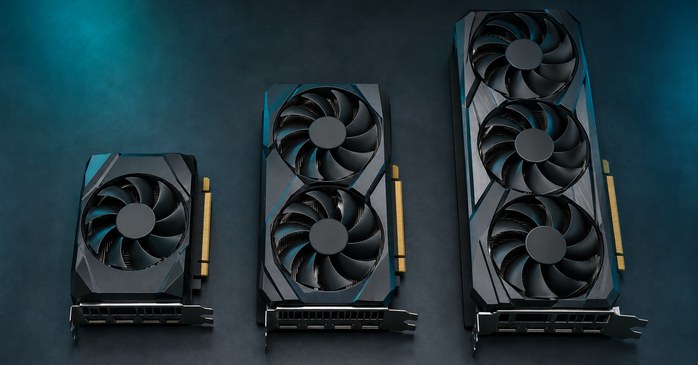
When choosing an NVIDIA GPU, the first step is to be clear about what you’ll use it for.
With that in mind, here’s a three-step approach:
- Define your use case
- Understand the key performance metrics
- Consider cost-performance
For gaming, the high-performance GeForce series is the right fit. For professional work, the NVIDIA RTX series, known for stability and high-precision compute, is the better choice.
GPU performance depends not only on the product line but also on the capacity and type of onboard memory (VRAM) and on memory bandwidth.
Step 1: Define Your Use Case
NVIDIA’s GPU lineup spans three lines: GeForce, NVIDIA RTX PRO, and data center GPUs.
GeForce is aimed mainly at gaming. In addition to the RTX 40 Series, the current lineup includes the RTX 50 Series, built on the Blackwell architecture. With each new architecture, these series have gained more CUDA cores, Tensor Cores, and RT Cores, improving gaming performance, especially for real-time ray tracing and DLSS.
NVIDIA RTX PRO, on the other hand, is specialized for professional use and serves creative and AI development work that demands high stability and high-precision compute. The current generation, the RTX PRO Blackwell series (announced March 2025), consists of workstation and server GPUs built on the Blackwell architecture and is well suited to demanding work such as 4K video editing and game development.
Step 2: Understand the Key Performance Metrics
Start with these three basic metrics. Here’s what each one tells you.
CUDA core count indicates a GPU’s basic parallel processing capability. Tensor Core count reflects how quickly the GPU can handle advanced AI workloads such as deep learning. VRAM capacity indicates how much data the GPU can hold at once.
- CUDA cores: Basic processing capability
- Tensor Cores: Handle AI computation. When comparing across generations, look at AI TOPS and supported precisions, not just core count
- VRAM capacity: Capacity for handling large datasets
Depending on your use case, also check the following:
- Memory bandwidth: How fast data moves to and from VRAM. Important for large AI models and high-resolution data
- AI TOPS: NVIDIA’s published measure of AI compute performance. Worth checking if you prioritize AI workloads such as generative AI or DLSS
- Power consumption (TGP/TDP): Needed to plan power supply capacity, cooling, and installation space
- Real-world benchmarks: Measured results in the games, rendering software, or AI frameworks you actually use. They reveal real-world performance that spec sheets alone can’t show
Focusing on the metrics that matter for your use case makes comparisons much easier: for example, benchmarks and power consumption for gaming, or VRAM capacity, memory bandwidth, and AI TOPS for AI development.
Step 3: Consider Cost-Performance
GeForce RTX 50 Series (Blackwell Architecture)
Use the table below to help find a GPU that fits your needs and budget.
| GPU model | CUDA cores | Tensor Cores | RT Cores | VRAM | Price | Product priced (manufacturer / model number) |
|---|---|---|---|---|---|---|
| RTX 5090 | 21,760 | 680 | 170 | 32GB | $6147.65 | GIGABYTE / AORUS GV-N5090AORUSST ICE-32GD |
| RTX 5080 | 10,752 | 336 | 84 | 16GB | $1679.65 | Palit Microsystems / NE75080019T2-GB2031A (Dospara exclusive) |
| RTX 5070 Ti | 8,960 | 280 | 70 | 16GB | $1303.19 | PNY / VCG5070T16TFXXPB1-O |
| RTX 5070 | 6,144 | 192 | 48 | 12GB | $865.87 | Palit Microsystems / NE75070U19K9-GB2050W |
| RTX 5060 Ti | 4,608 | 144 | 36 | 16GB | $657.56 | Colorful / GeForce RTX 5060 Ti Gaming DUO 16GB-V |
| RTX 5060 | 3,840 | 120 | 30 | 8GB | $379.00 | GIGABYTE / GV-N5060EAGLEOC ICE-8GD |
| RTX 5050 | 2,560 | 80 | 20 | 8GB | $313.59 | ASUS / DUAL-RTX5050-O8G |
(Spec sources: GeForce RTX 50 Series comparison | NVIDIA, NVIDIA RTX Blackwell GPU Architecture | NVIDIA. Tensor Core and RT Core counts are derived from the Blackwell SM configuration of 128 CUDA cores, 4 Tensor Cores, and 1 RT Core per SM. Prices: the lowest price of the cheapest AIB product with a listed price on Kakaku.com, a Japanese price comparison site (tax included, new, checked between 11:00 and 12:00 JST on September 24, 2026). The RTX 5060 Ti price is for the 16GB model. Several RTX 5050 products share the same lowest price.)
Server GPUs (Data Center)
| GPU model | CUDA cores | Tensor Cores | RT Cores | VRAM | Memory bandwidth | FP16 Tensor performance | FP8 Tensor performance | Price |
|---|---|---|---|---|---|---|---|---|
| H200 NVL (PCIe) | – | – | – | 141GB | 4.8TB/s | 1,671 TFLOPS | 3,341 TFLOPS | $38430.65 |
| H100 SXM5 | 16,896 | 528 | – | 80GB | 3.35TB/s | 1,979 TFLOPS | 3,958 TFLOPS | – |
| H100 PCIe | 14,592 | 456 | – | 80GB | 2.0TB/s | 1,513 TFLOPS | 3,026 TFLOPS | – |
| A100 SXM4 | 6,912 | 432 | – | 40GB/80GB | 1,555GB/s / 2,039GB/s | 624 TFLOPS | Not supported | – |
| L40S | 18,176 | 568 | 142 | 48GB | 864GB/s | 733 TFLOPS | 1,466 TFLOPS | $9336.29 |
(Spec sources: H200, H100, H100 datasheet, H100 PCIe Product Brief, Hopper architecture whitepaper, A100, L40S | NVIDIA. FP16/FP8 Tensor performance figures are NVIDIA’s official specs with sparsity. NVIDIA does not publish CUDA or Tensor Core counts for the H200 NVL, so they are shown as “-” and the comparison relies on FP16/FP8 performance, memory, and bandwidth. RT Cores are not listed in the official specs for the H200, H100, or A100, so they are also shown as “-“. The A100 does not support FP8. Prices: lowest price on Kakaku.com (tax included, new, checked September 24, 2026). The H100 SXM5 and A100 SXM4 are modules built into servers, and the H100 PCIe has no listed price on Kakaku.com, so their prices are shown as “-“. Contact a reseller for a quote.)
Recommended NVIDIA GPUs by Use Case
Whether you’re working on AI development, video editing, or other creative projects, choosing the right GPU for the job has a major impact on productivity and results.
Here’s an overview of recommended models from NVIDIA’s extensive lineup for each use case. Pick the GPU that matches your goals and take your projects further.
| GPU model | Price | Primary use | VRAM | TGP/TDP |
|---|---|---|---|---|
| RTX 5090 | $6147.65 | 4K–8K gaming, AI development | 32GB | 575W |
| RTX 5060 Ti | $657.56 | 1440p gaming | 16GB | 180W |
| RTX 5060 | $379.00 | 1080p–1440p gaming | 8GB | 145W |
| RTX 4090 | $5320.68 | 4K gaming, AI development | 24GB | 450W |
| RTX A5000 | $2445.76 | AI inference, graphics | 24GB | 230W |
| NVIDIA H200 NVL | $38430.65 | Cutting-edge AI training and inference | 141GB | 600W |
(Spec sources: NVIDIA product pages | NVIDIA. GeForce figures (RTX 5090 through RTX 4090) are TGP (Total Graphics Power), and RTX A5000 and H200 NVL figures are maximum power consumption (TDP). Prices: lowest price on Kakaku.com (tax included, new, checked September 24, 2026). RTX 50 Series prices refer to the same products and check time as the Step 3 table. The RTX 5060 Ti price is for the 16GB model.)
The right graphics card depends on what you want to do, from gaming on a PC to serious creative work like video editing and 3D production.
NVIDIA’s broad GPU lineup covers needs from beginners to professionals.
Below, we introduce recommended NVIDIA GPUs for each use case, from entry-level to flagship models.
GeForce RTX 5090 | Gaming
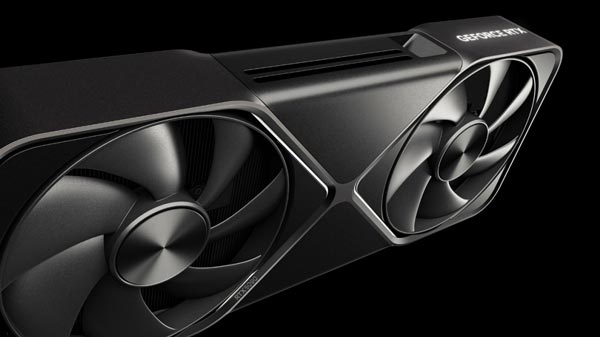
The RTX 5090 is based on NVIDIA’s latest Blackwell architecture. Compared with the previous-generation Ada Lovelace architecture (RTX 4090: 16,384 CUDA cores, 24GB GDDR6X), it increases the CUDA core count to 21,760 and memory to 32GB of GDDR7.
4K/8K gaming: With 32GB of VRAM and a high 575W TGP power budget, this flagship is designed for gaming at 4K and above with high-resolution textures and heavy ray tracing.
GeForce RTX 5060 / 5060 Ti | Gaming
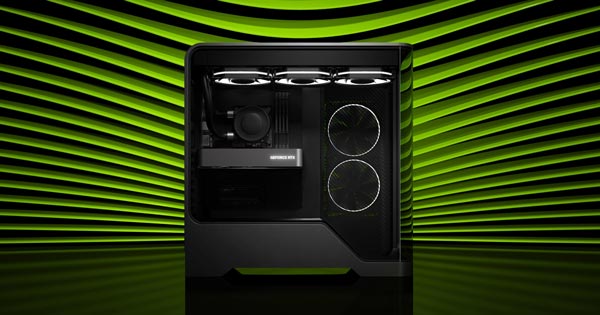
The GeForce RTX 5060 and 5060 Ti are mid-range GPUs built on the Blackwell architecture, with a focus on delivering a well-balanced, cost-effective gaming experience.
For gamers who want smooth 1080p and 1440p performance, they offer a strong balance of performance, price, and power consumption.
RTX 4090 / RTX A5000 | Creative Work
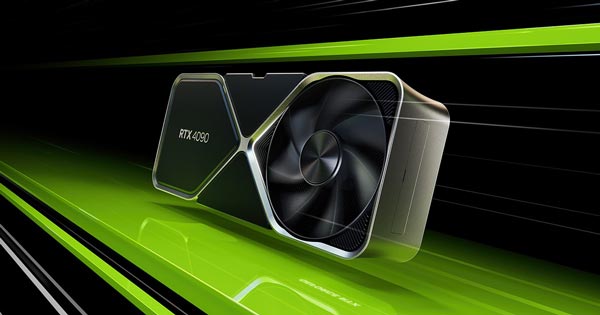
The RTX 4090 and RTX A5000 are both high-performance NVIDIA GPUs, but each has different strengths for creative work.
Professional GPUs such as the RTX A5000 are covered by ISV certifications (testing and certification by software vendors) for major professional software from vendors such as Autodesk, Dassault Systèmes, Adobe, and Maxon. You can check which applications and versions are certified through each software vendor or NVIDIA’s certification information. The RTX 4090, on the other hand, is a gaming-oriented GeForce product and is not designed with ISV certification in mind.
The RTX A5000 supports ECC memory, which automatically detects and corrects data corruption in memory. This improves reliability in workflows where data accuracy is critical, such as scientific computing, large-scale simulations, and long rendering jobs.
NVIDIA B200 / H200 / A100 | Machine Learning and R&D
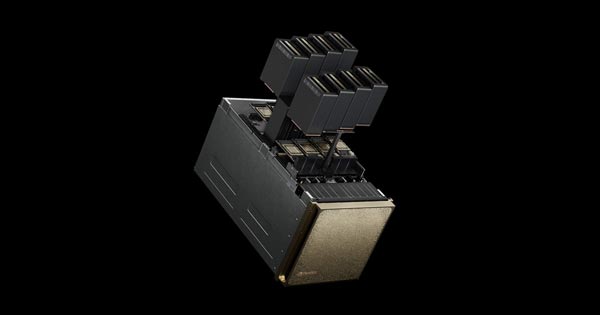
The NVIDIA B200, H200, and A100 are all data center GPUs designed for AI training, inference, and high-performance computing (HPC). Because they differ in generation and memory capacity, the right choice depends on the size of your models and your budget.
| GPU model | Generation (architecture) | Memory | Primary uses |
|---|---|---|---|
| B200 | Blackwell | 180GB HBM3e (1,440GB total across eight GPUs in DGX B200) | LLM training and inference, recommender systems, chatbots |
| H200 | Hopper | 141GB HBM3e (4.8TB/s bandwidth) | Generative AI and LLM training and inference, memory-bandwidth-intensive HPC |
| A100 | Ampere | 40GB / 80GB (up to 2,039GB/s bandwidth) | AI training and inference, HPC, data analytics |
The B200 is a Blackwell-generation GPU that succeeds the H200. According to NVIDIA, the DGX B200, which houses eight B200 GPUs, delivers up to 3x the training performance and up to 15x the inference performance of the DGX H100.
In 2026, successor generations such as the Blackwell Ultra B300 and the next-generation Vera Rubin are also being rolled out.
The NVIDIA H200 is a Hopper-generation GPU designed for AI and high-performance computing (HPC).
Compared with the H100 (SXM: 80GB, 3.35TB/s), the H200 increases memory capacity to 141GB and memory bandwidth to 4.8TB/s, making it well suited to memory- and bandwidth-intensive workloads such as large language model (LLM) inference.
The A100 is an Ampere-generation GPU, the generation before Hopper, and comes in 40GB and 80GB memory configurations. In addition to AI training and inference, it supports HPC and data analytics.
Because these GPUs can run complex data analysis and simulations at high speed, they help accelerate R&D cycles and strengthen your competitive edge.
RTX PRO Blackwell | 3D Design
The RTX PRO Blackwell series consists of professional GPUs for 3D design, engineering, visualization, and AI development, featuring fifth-generation Tensor Cores and fourth-generation RT Cores.
The top-end RTX PRO 6000 Blackwell Workstation Edition comes with 96GB of GDDR7 memory with ECC (1,792GB/s bandwidth), so large datasets such as complex assemblies and building models can be handled in GPU memory.
Support for real-time ray tracing lets you check the final look of a design from the earliest stages. Viewport performance varies depending on model size and the application you use.
NVIDIA GPU FAQ
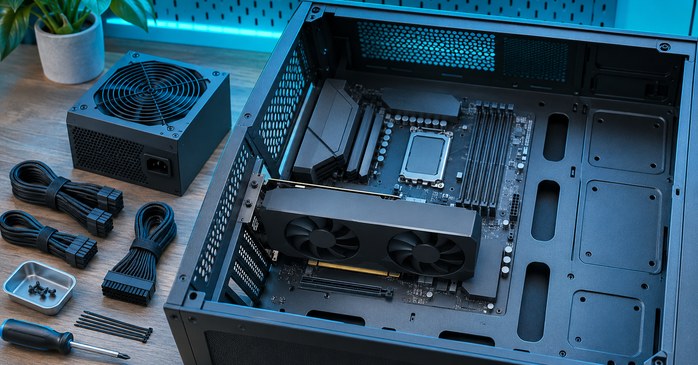
With so many NVIDIA GPU models and use cases, it’s easy to feel unsure about which one to choose. Performance, price, software compatibility, future-proofing: there’s a lot to consider.
Here are answers to common questions and key points to keep in mind when choosing an NVIDIA GPU.
- Which GPU makers other than NVIDIA do you recommend?
-
The two main alternatives are AMD, a long-established name in graphics, and Intel, which has more recently made a serious push into the gaming market.
AMD (Radeon)
AMD is currently the strongest GPU maker after NVIDIA.
Its latest generation is the Radeon RX 9000 Series, based on the RDNA 4 architecture and launched in March 2025. The lineup includes the RX 9070 XT/9070, the RX 9070 GRE (rolled out worldwide in June 2026), and the RX 9060 XT/9060. The previous-generation Radeon RX 7000 Series (RX 7900 XTX/XT, RX 7800/7700 XT, RX 7600, and others) also remains on the market.
AMD GPUs are generally considered to offer good value for money.
Intel
Intel’s current generation is the Intel Arc B-Series, including the Arc B580 (12GB) and Arc B570 (10GB), announced in December 2024. The previous-generation Intel Arc A770/A750 are also available.
Intel entered the gaming GPU market around late 2022, making it a relatively new option.
- Which NVIDIA GPU do you recommend for beginners?
-
For beginners, we recommend the current-generation GeForce RTX 5060. That said, if you can buy the previous-generation GeForce RTX 4060 for less than the RTX 5060, the RTX 4060 is also a strong option.
RTX 5060 vs. RTX 4060
Spec GeForce RTX 5060 GeForce RTX 4060 Architecture Blackwell Ada Lovelace CUDA cores 3,840 3,072 Memory 8GB GDDR7 8GB GDDR6 AI performance (AI TOPS) 614 242 DLSS Supports DLSS 5 / 3D-Guided Neural Rendering / Dynamic Multi Frame Generation Supports Frame Generation; does not support 3D-Guided Neural Rendering or Dynamic Multi Frame Generation Power consumption (Total Graphics Power) 145W 115W (Sources: GeForce RTX 5060 family, GeForce RTX 4060 family, DLSS 5 (September 2026), DLSS 4.5 Dynamic Multi Frame Generation (March 2026) | NVIDIA. DLSS information as of September 2026.)
With the same 8GB of memory, the RTX 5060 beats the RTX 4060 on CUDA core count and memory type, and it also supports DLSS 4 Multi Frame Generation. If the price difference between the two is small, the RTX 5060 is the better pick.
That said, the RTX 4060 may make sense if:
- You can buy it for clearly less than the RTX 5060, for example as discounted older stock
- You want lower power consumption (115W) for a PC with a modest power supply or a compact case
Key features of the RTX 4060
It runs the latest games smoothly at Full HD, and in competitive titles such as Apex Legends, VALORANT, and Fortnite, it can reach 144 fps or higher depending on your CPU, other components, and graphics settings.
Its low power draw and heat output make it easy to fit into small-form-factor PCs or systems with a modest power supply. Before installing it, however, check your power supply capacity and auxiliary power connectors, and make sure the card’s length and thickness fit your case.
Priced at around $251.12–$313.90 (varies with exchange rates and retailers), it offers excellent value for its performance.
Summary
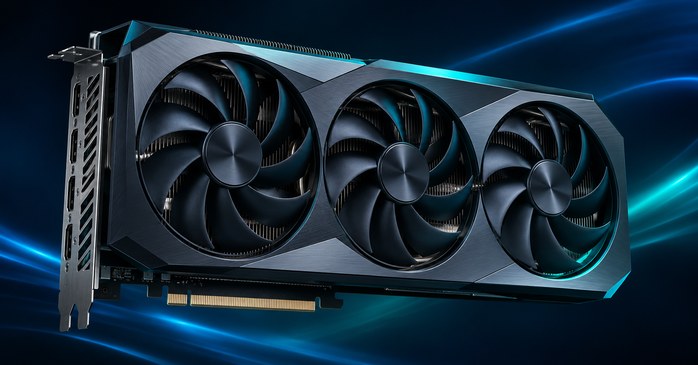
NVIDIA GPUs continue to evolve across a wide range of fields, including gaming, creative production, AI development, and scientific computing. In the GeForce line, the Blackwell-based RTX 50 Series leads the way, enhancing gaming with technologies such as real-time ray tracing and DLSS. Professional models such as the RTX series and H series are widely used as computing infrastructure for large-scale AI training, simulation, and 3D design.
When choosing a GPU, weigh the VRAM capacity, compute performance, and power consumption your use case requires against your budget. Use this article as a guide to find the NVIDIA GPU that best fits your organization’s needs.